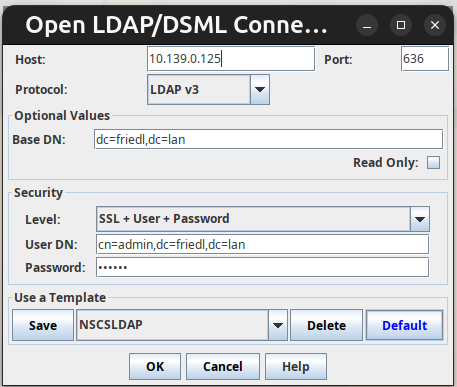
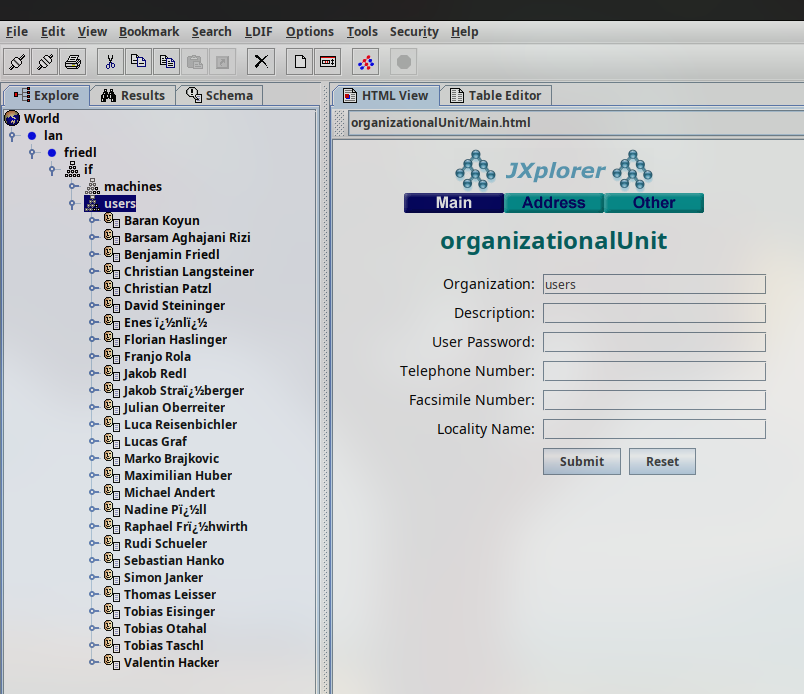
LDAP
Einrichtung eines LDAP-Servers
sudo apt update
sudo apt install slapd ldap-utils
Konfiguration des LDAP-Servers
sudo dpkg-reconfigure slapd
Domainname: friedl.lan
Organisation: if
Admin-Passwort: 123456
Überprüfung des LDAP-Servers
sudo systemctl status slapd
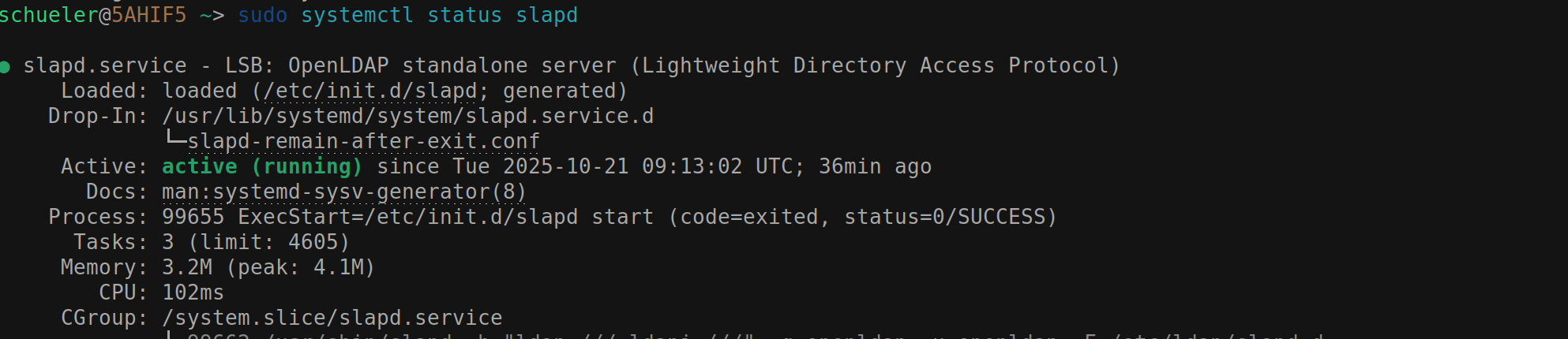
ou.idif
dn: o=if,dc=friedl,dc=lan
o: if
objectclass: top
objectclass: organization

dn: ou=users,o=if,dc=friedl,dc=lan
ou: users
objectclass: top
objectclass: organizationalUnit

dn: ou=machines,o=if,dc=friedl,dc=lan
ou: machines
objectclass: top
objectclass: organizationalUnit
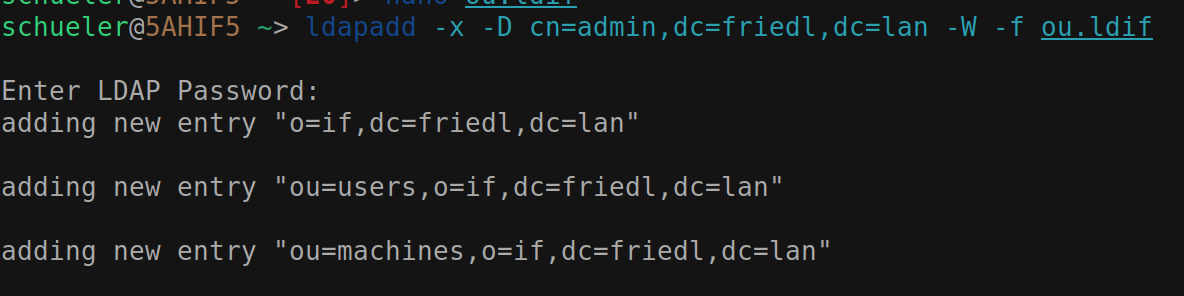
Importieren der Datei ou.ldif
ldapadd -x -D cn=admin,dc=friedl,dc=lan -W -f ou.ldif
user.ldif:
dn: cn=Rudi Schueler, ou=users, o=if, dc=friedl,dc=lan
objectclass: top
objectclass: person
objectclass: organizationalPerson
objectclass: inetOrgPerson
objectclass: posixAccount
cn: Rudi Schueler
displayName: Rudi Schueler
sn: Schueler
givenName: Rudi
initials: RS
title: Dr
uid: rudi
mail: rudi.schueler@htlstp.ac.at
telephoneNumber: +43 2742 1234567
mobile: +43 676 12345678
roomNumber: N326
uidNumber: 5000
gidNumber: 5000
homeDirectory: /home/rudi
userPassword: {SSHA}xxx
loginShell: /bin/bash
Importieren der Datei user.ldif
ldapadd -x -D cn=admin,dc=friedl,dc=lan -W -f user.ldif

TODO: laufender Server + Client verbinden
creds:
ldap:
  uri: ldap://friedl.lan
  binddn: cn=admin,dc=friedl,dc=lan
  bindpw: '******'
  basedn: dc=friedl,dc=lan
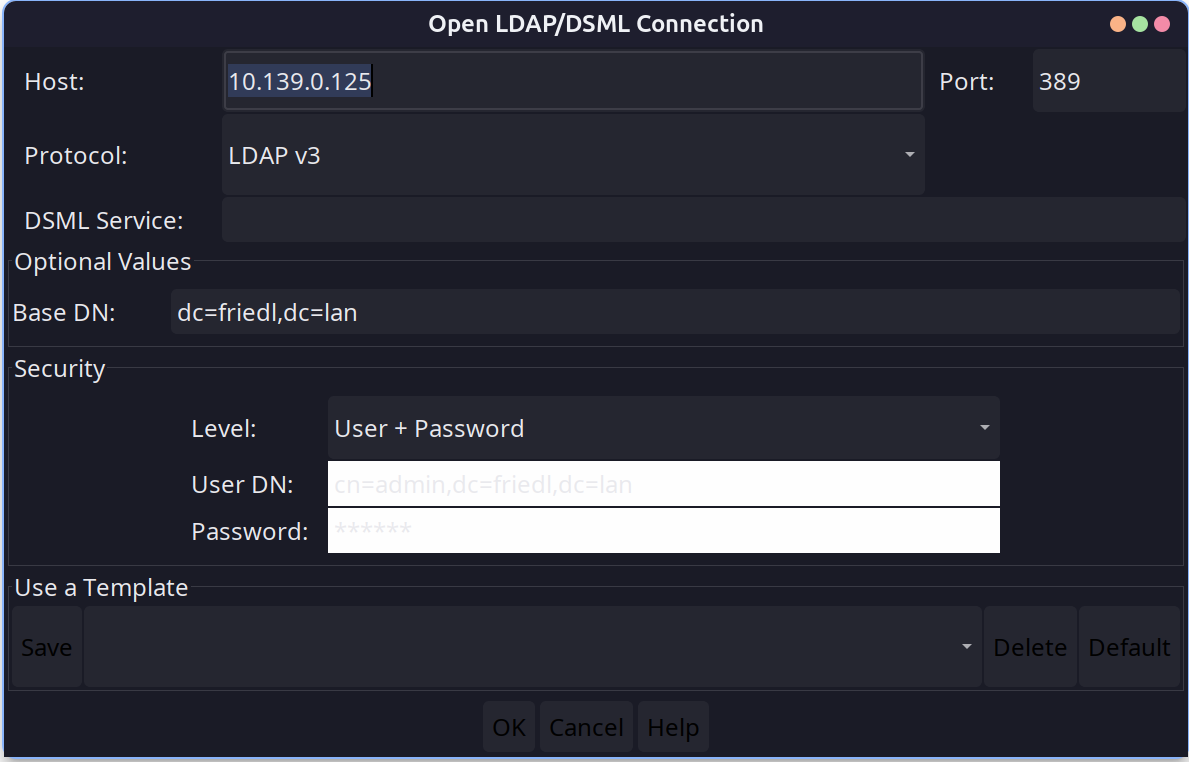
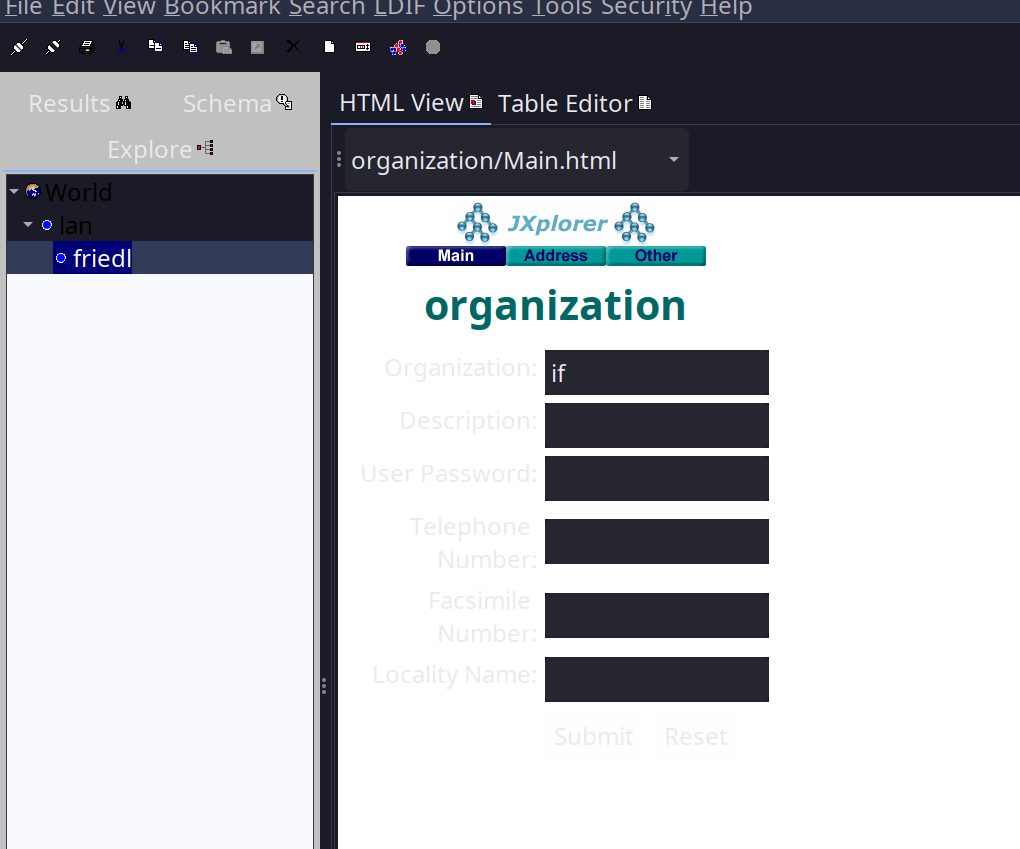
Script to automatically create users
#! /usr/bin/bash

echo "Starting LDAP setup script..."

# need file path input
if [ "$#" -ne 1 ]; then
    echo "Usage: $0 <ldif_file_path>"
    exit 1
fi

LDIF_FILE="$1"

# creates a file for each line in the csv
while IFS= read -r line; do
    IFS=';' read -r class id surname firstname email <<< "$line"
    cat > "${id}.ldif" << EOF
dn: cn=${firstname} ${surname}, ou=users, o=if, dc=friedl,dc=lan
objectclass: top
objectclass: person
objectclass: organizationalPerson
objectclass: inetOrgPerson
objectclass: posixAccount
cn: ${firstname} ${surname}
displayName: ${firstname} ${surname}
sn: ${surname}
givenName: ${firstname}
initials: ${firstname:0:1}${surname:0:1}
title: Dr
uid: ${id}
mail: ${email}
roomNumber: N326
uidNumber: 5000
gidNumber: 5000
homeDirectory: /home/${id}
userPassword: {SSHA}xxx
loginShell: /bin/bash
EOF
done < "$LDIF_FILE"
echo "LDIF files created successfully."
to add all files:
for file in *.ldif; do
    ldapadd -x -D cn=admin,dc=friedl,dc=lan -w "123456" -f "$file"
done
and it worked:
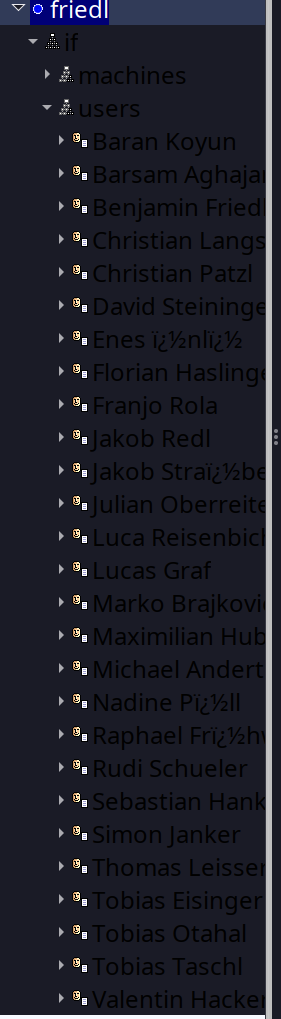
to update all fields, for example to change the title
dn: cn=Rudi Schueler, ou=users, o=if, dc=friedl,dc=lan
changetype: modify
replace: title
title: Schueler
script to modify users:
#!/usr/bin/bash
echo "Starting LDAP modification script..."

# script.sh <ldif_file_path> --field <field_name> --value <new_value>
if [ "$#" -ne 5 ]; then
    echo "Usage: $0 <ldif_file_path> --field <field_name> --value <new_value>"
    exit 1
fi
LDIF_FILE="$1"
FIELD_NAME="$3"
NEW_VALUE="$5"
# modifies a file for each line in the csv
while IFS= read -r line; do
    IFS=';' read -r class id surname firstname email <<< "$line"
    cat > "mod_${id}.ldif" <<-EOF
dn: cn=${firstname} ${surname}, ou=users, o=if, dc=friedl,dc=lan
changetype: modify
replace: ${FIELD_NAME}
${FIELD_NAME}: ${NEW_VALUE}
EOF
done < "$LDIF_FILE"
echo "Modification LDIF files created successfully."
to run all modifications:
for file in mod_*.ldif; do
    ldapmodify -x -D cn=admin,dc=friedl,dc=lan -w "123456" -f "$file"
done
Einrichten von LDAPS v7
Dafür kann das tool ldap_ssl_script.sh verwendet werden.
./ldap_ssl_script.sh friedl
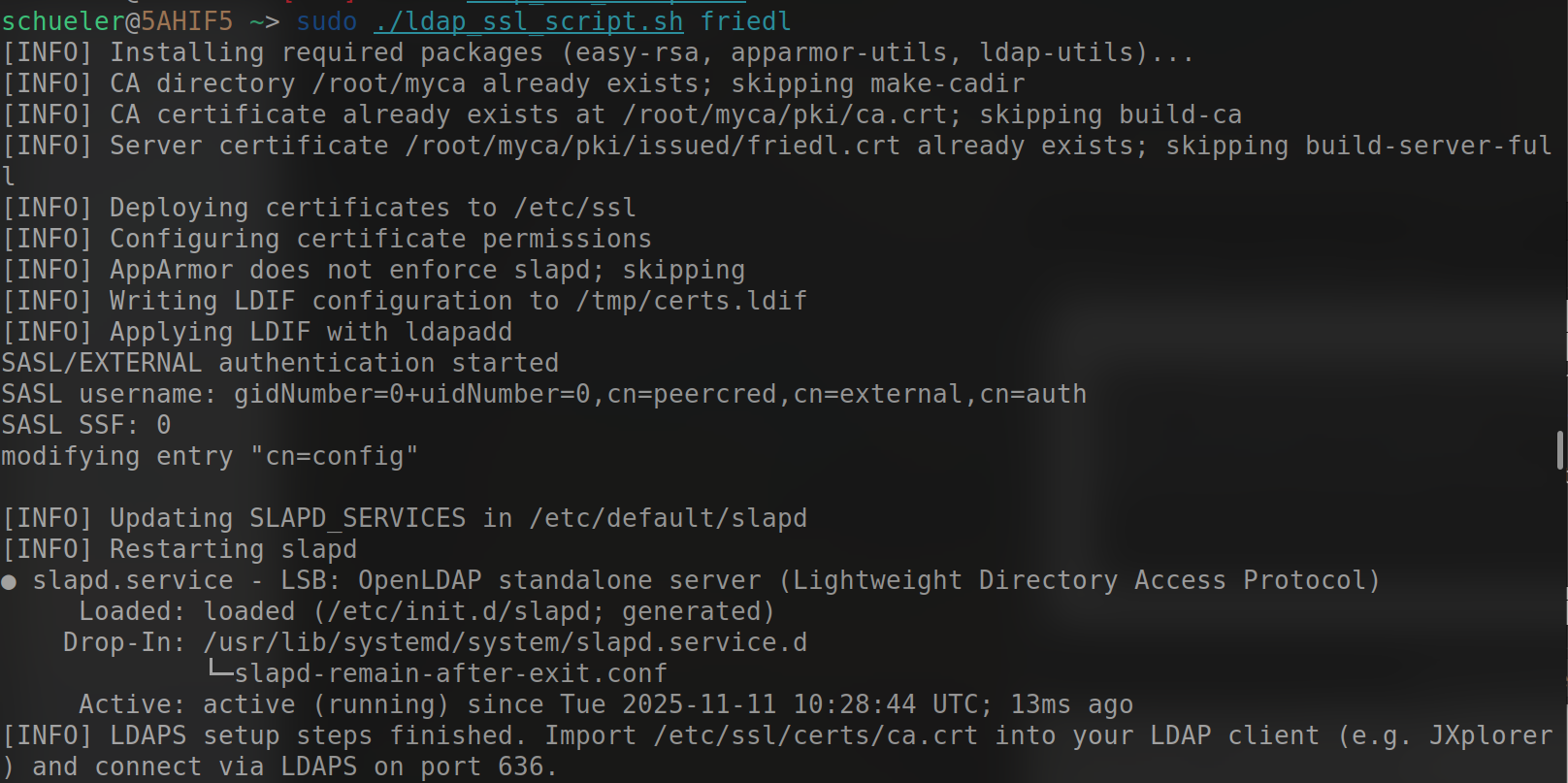
Connecting via LDAPS
ldapsearch -H ldaps://friedl.lan -x -D "cn=admin,dc=friedl,dc=lan" -W -b "dc=friedl,
dc=lan"
Lösung
1) CA aus der Zertifikatskette des LDAP-Servers extrahiert und als System-CA installiert.
openssl s_client -connect 10.139.0.125:636 -showcerts </dev/null 2>/dev/null \
    | awk 'BEGIN{n=0} /-----BEGIN CERTIFICATE-----/{n++; fname=sprintf("/tmp/cert%d.pem",n)} {print > fname} /-----END CERTIFICATE-----/{close(fname)}'
# Datei mit Subject==Issuer identifizieren (das ist die CA)
for f in /tmp/cert*.pem
    openssl x509 -noout -subject -issuer -in $f
end
sudo cp /tmp/cert2.pem /usr/local/share/ca-certificates/friedl-ca.crt
sudo update-ca-certificates
rm -f /tmp/cert*.pem
2) Hostname-Mismatch behoben (Server-Zertifikat hatte CN=friedl): lokaler /etc/hosts-Eintrag hinzugefügt und mit dem im Zertifikat verwendeten Namen verbunden.
printf "%s\t%s\n" "10.139.0.125" "friedl" | sudo tee -a /etc/hosts
3) Verbindungstest (erfolgreich):
ldapsearch -H ldaps://friedl -x -D "cn=admin,dc=friedl,dc=lan" -W -b "dc=friedl,dc=lan"
Ergebnis: LDAPS-Bind und Suche funktionieren – das System vertraut nun der internen Easy-RSA CA und der verwendete Hostname stimmt mit dem Zertifikat überein.

Andere Lösung wäre gewesen, eine andere Version des JXplorer zu verwenden, die auch für Linux mit selbstsignierten Zertifikaten funktioniert.